Production Deck
ALL CONNECTED

One screen for Sunday.

Production Deck is a native Mac dashboard for church production teams. ProPresenter, Planning Center, wireless mics, room loudness, your livestream and show control, together on one calm, customizable screen.

Get Production Deck Explore the features

For macOS 12 Monterey or later. Apple Silicon and Intel.

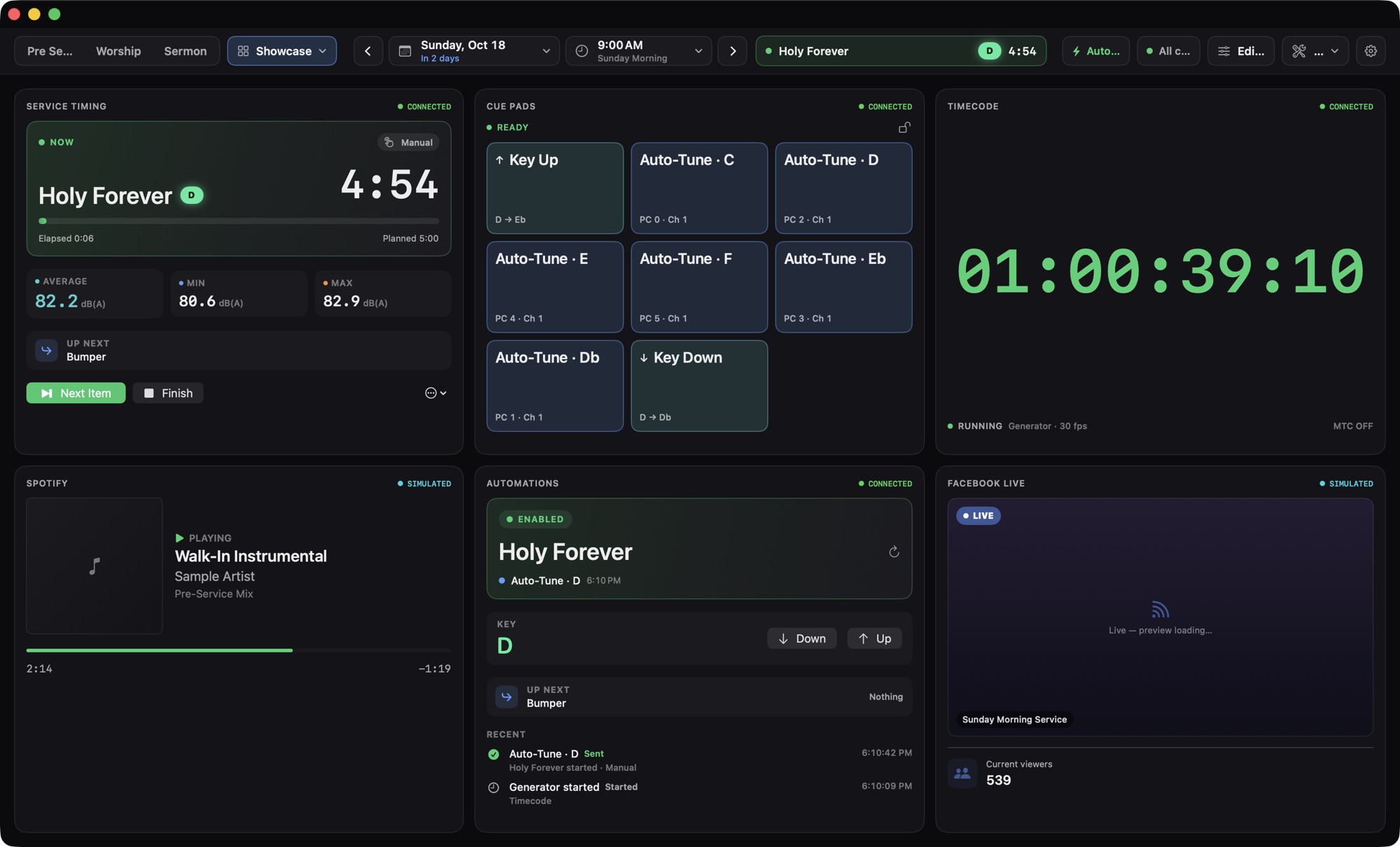
Production Deck dashboard with Service Timing, Cue Pads, Timecode, Spotify, Automations and Facebook Live modules.

Service timing, cue pads, timecode, walk-in music, automations and the stream, side by side.

Works with the gear already in your booth

  • ProPresenter
  • Planning Center
  • Shure
  • Smaart
  • Resi
  • Bitfocus Companion
  • YouTube Live
  • Facebook Live
  • Spotify
  • MIDI

Built for the live moment.

A dark, quiet control-room look with big monospaced numbers and plain status words. Nothing flashes, nothing jitters, and nothing fires unless you meant it to.

Modules18
1

One screen instead of ten

Every tool becomes a module on a grid. Arrange a view for each role and moment, then switch with one click.

ControlOFF

Safe by default

Firing slides, going live and sending MIDI stay off until you turn them on. Many controls add a lock or a confirmation.

NetworkLOCAL

Local-first and private

Runs on the booth Mac and talks to gear on your network. Credentials live in the macOS Keychain. No Production Deck account, no cloud.

ViewersUNAVAILABLE
—

Honest data

If a source can't report something, the module says Unavailable. You'll never see a fake zero standing in for a real number.

Edit Layout  ⌘E

A view for every role. Built in minutes.

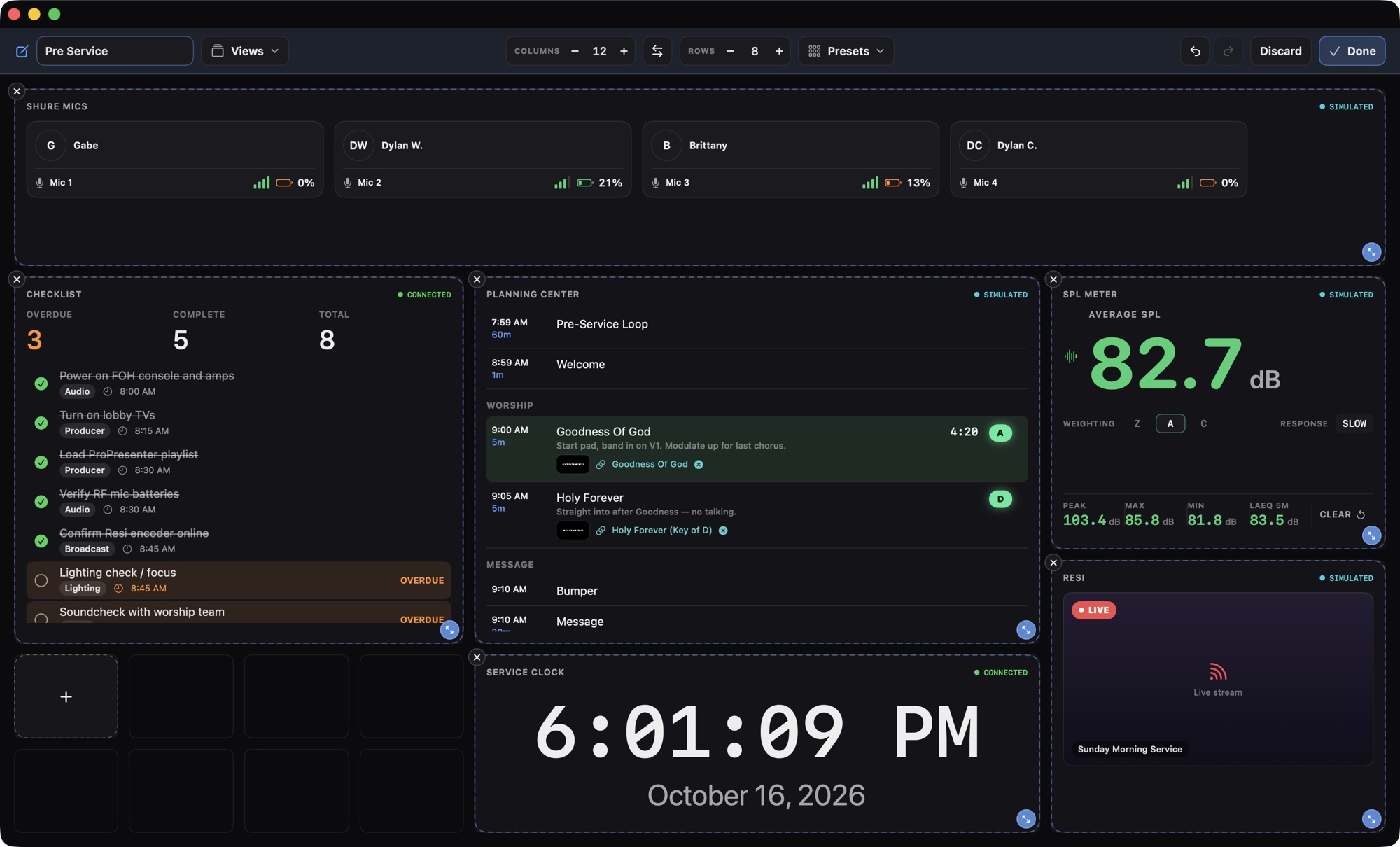
Start with Pre Service, Worship and Sermon, plus Producer, Audio and Lighting views. Then make them yours. Every module keeps showing live data while you arrange, and clicks are paused so nothing gets triggered by accident.

  • Any grid from 1×1 to 32×32. Landscape, portrait or ultrawide, it fills the screen.
  • Drag to move, drag edges to resize. Modules snap to cells and never overlap.
  • Modules adapt to their size, down to a compact tile that shows just the key value.
  • Up to 100 steps of undo, and Discard rolls back the whole session.
Production Deck in Edit Layout mode: the Pre Service view's modules outlined on a 12 by 8 grid, with an empty cell ready to add a module.

Everything the booth watches on Sunday.

Slides, the run of service, mics, loudness and the stream, each as a module that reads at a glance from across the room.

See every module →

ProPresenter

Your playlist, live slide in blue.

Every slide as a thumbnail, laid out the way ProPresenter shows it. A live strip tracks the current and next slide with how many are left. Turn on control and unlock the card to fire slides, step next and previous, clear layers and run macros.
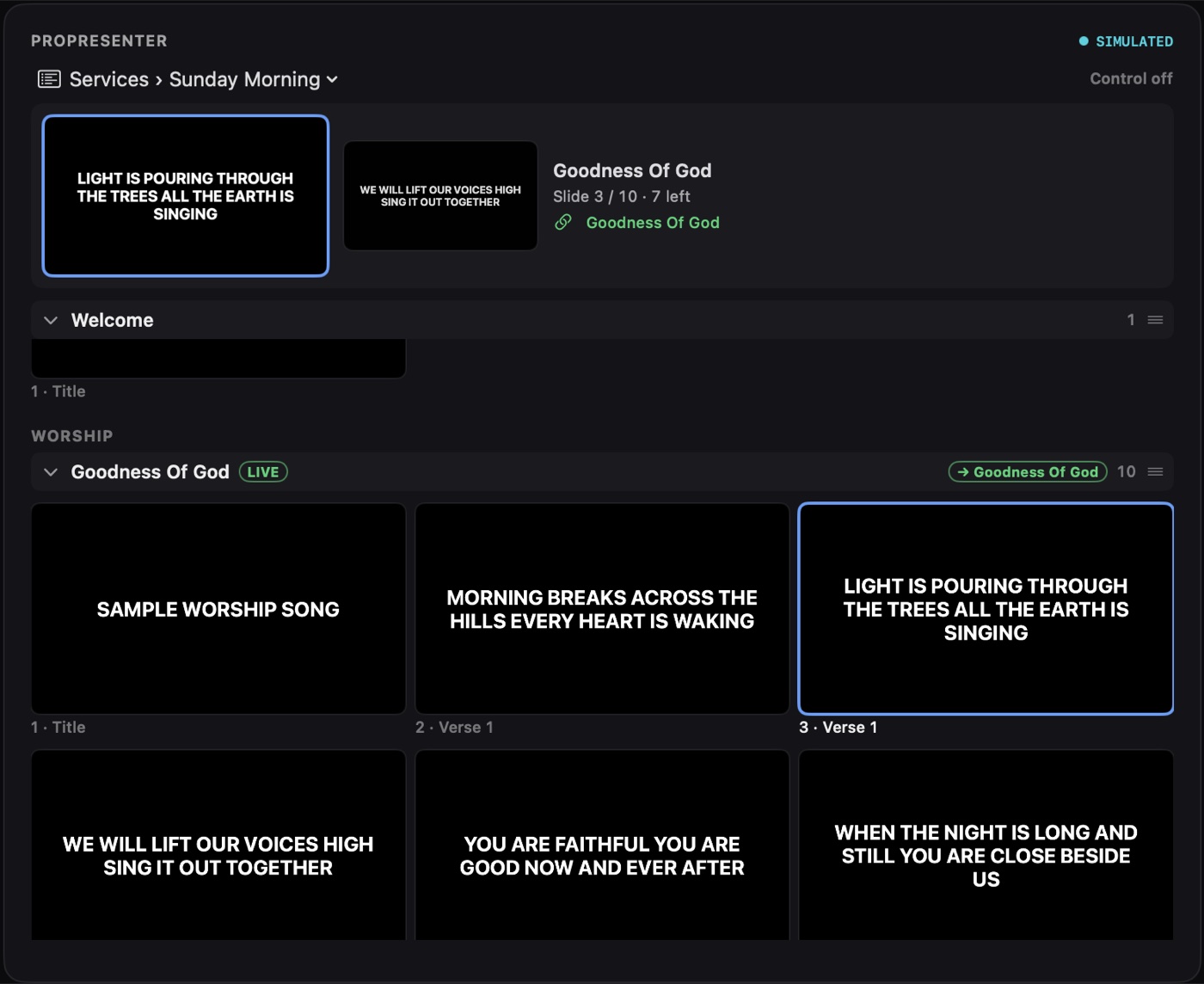
ProPresenter module showing a playlist of slide thumbnails with the live slide outlined in blue.

Planning Center

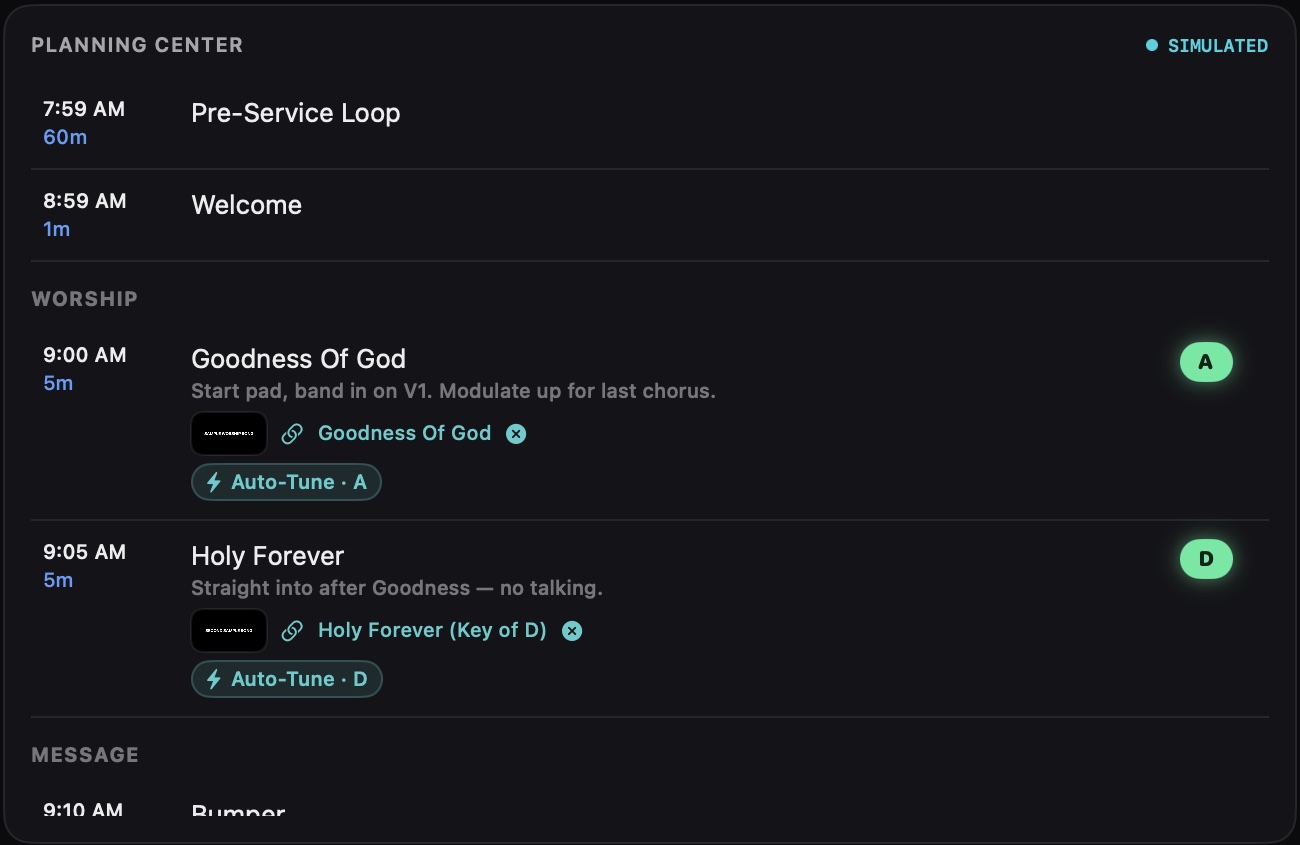
The run of service, with keys and notes.

Start times, lengths, song keys as color badges and item notes. Drag ProPresenter content onto an item to link it.

Planning Center module listing service items with times, notes and green song key badges.

Service Timing

Plan against reality, item by item.

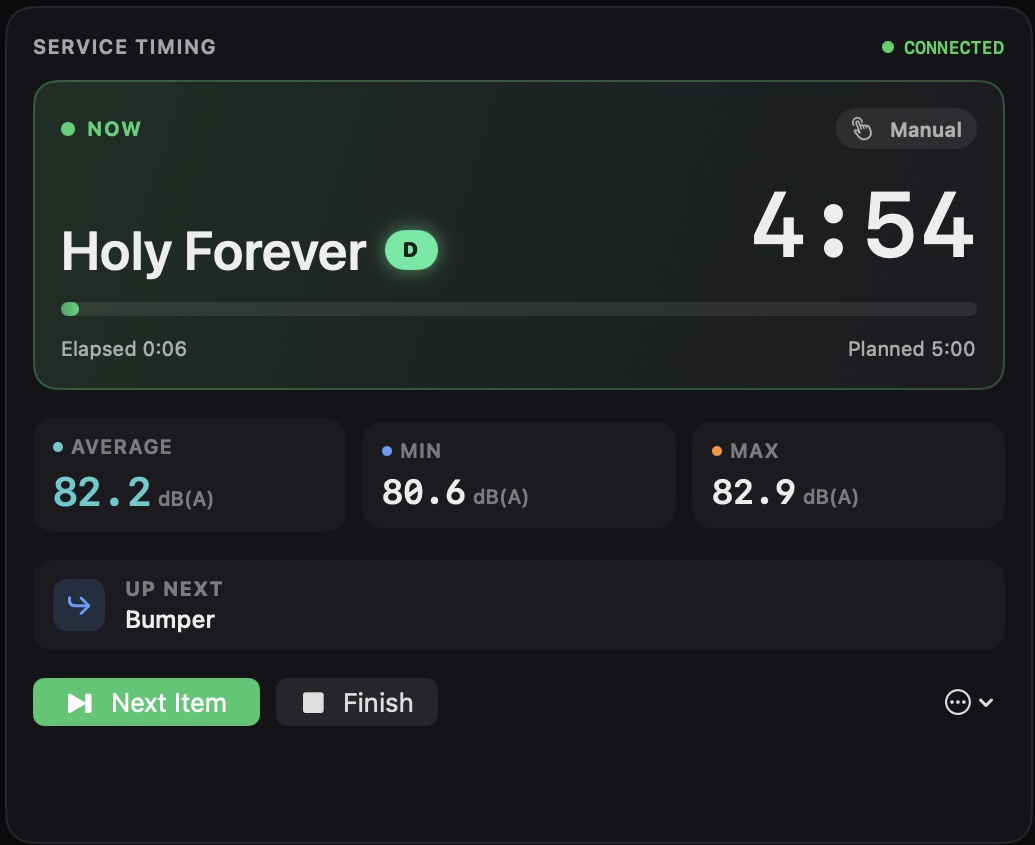
Times each item as it happens and turns red when one runs long. Afterward, a service report can be emailed to the team automatically.

Service Timing module showing the current song, a 4:54 countdown and average, minimum and maximum loudness.

Shure Mics

Every mic, every battery, every name.

RF bars, battery and transmitter state for each channel, labeled with who's wearing it. Mic assignments come straight from your Planning Center notes.

Shure Mics module with four mic tiles showing names, RF signal bars and battery percentages.

SPL + RTA

Know how loud the room really is.

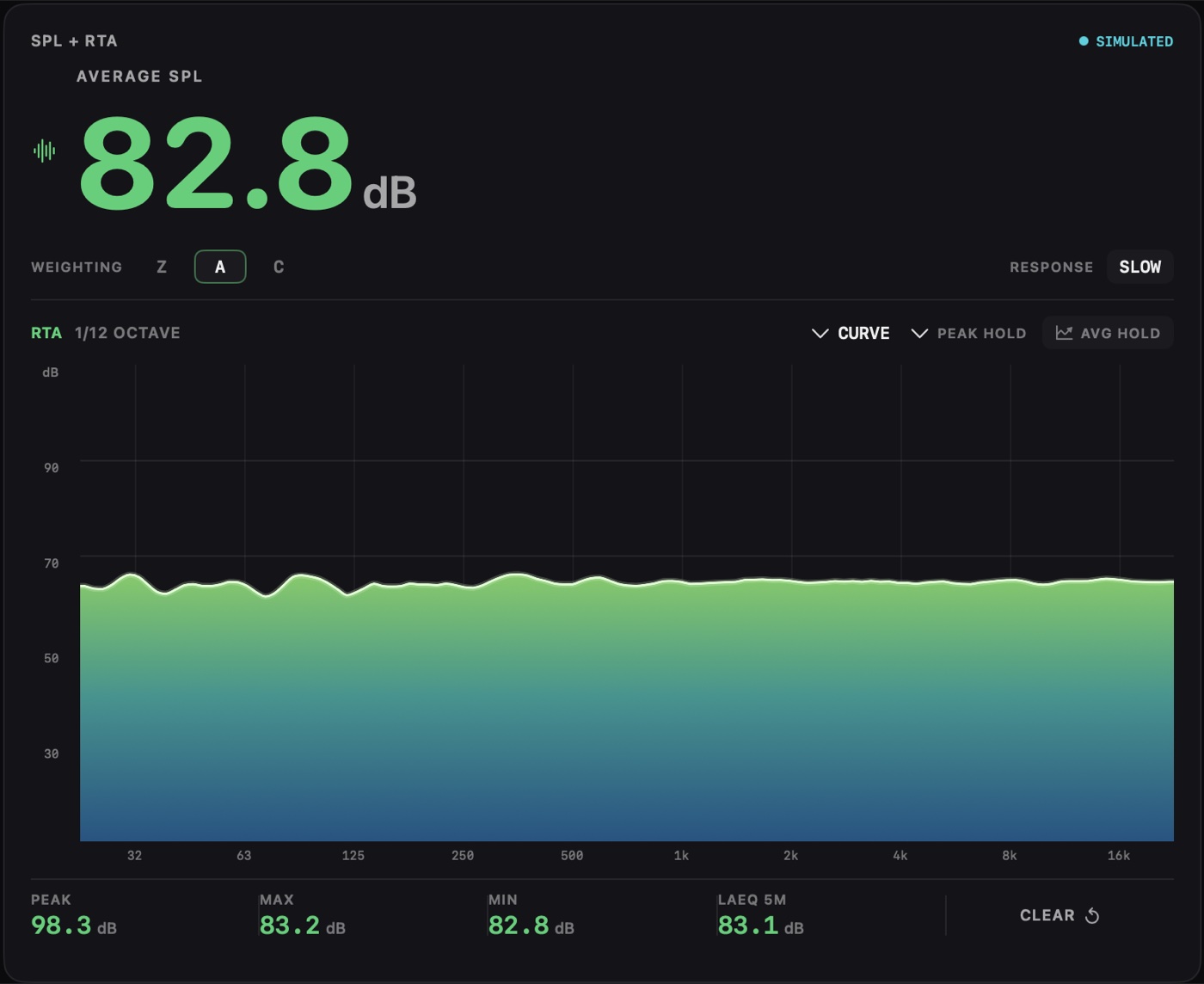
A built-in, calibrator-calibrated SPL meter on any Mac input, Dante Virtual Soundcard included, or feed it from Smaart. Weighting, peak and LAeq, plus a 1/12-octave spectrum.

SPL plus RTA module showing 82.8 dB average SPL above a green frequency spectrum.

Live Chat (All Platforms)

One feed for your online church.

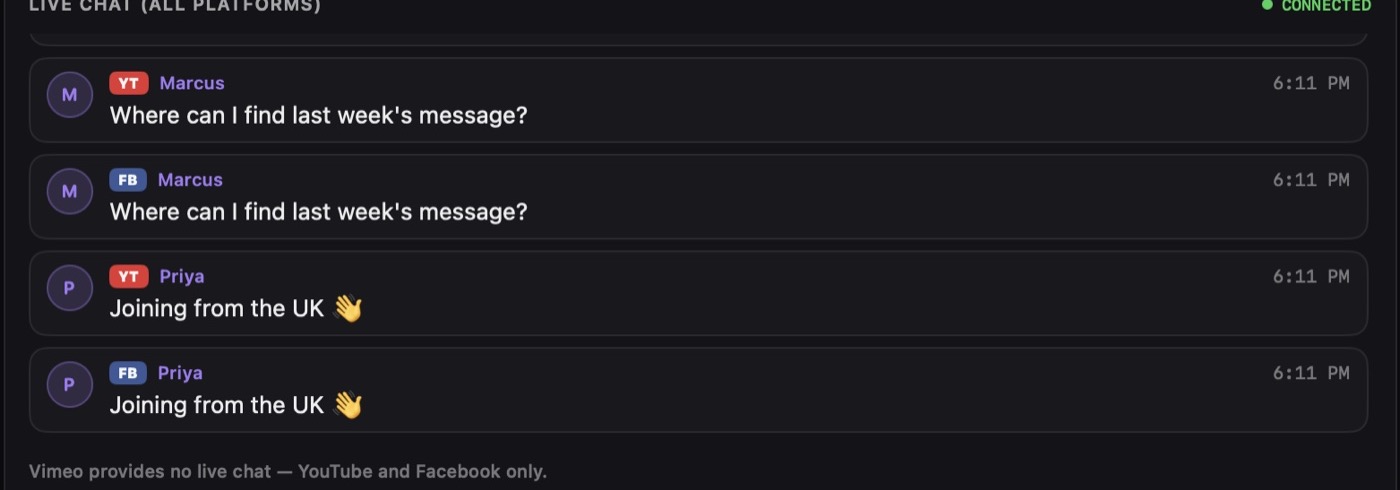
YouTube and Facebook comments merged and badged by platform, next to stream previews with LIVE status and viewer counts.

Merged live chat feed with messages badged YT and FB.
AUTOMATIONS ENABLED

The song starts. The key changes. Your gear follows.

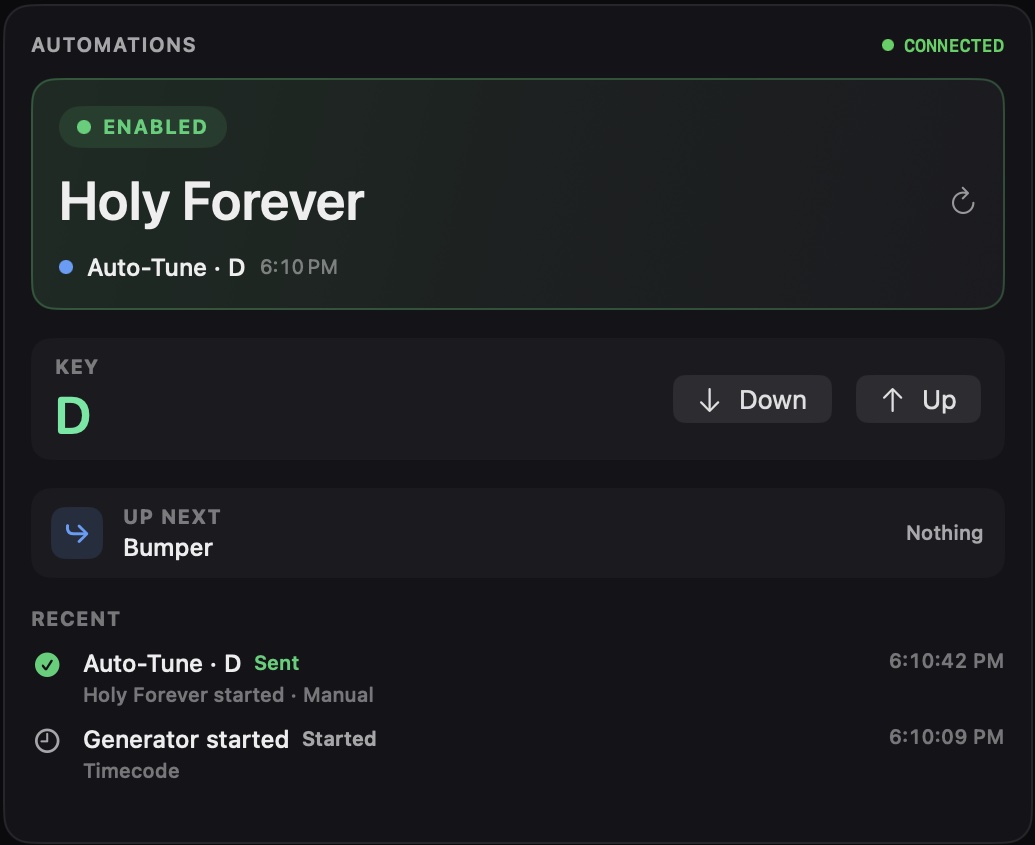
Rules say "when this happens, fire that". When a song begins, Production Deck reads its key from Planning Center and fires the matching cue, like switching an auto-tune snapshot. Generate all 24 key cues in one click.

  • DevicesMIDI, Companion, HTTP
  • CuesNamed message lists
  • RulesWhen this, fire that
  • PadsBig buttons on the dashboard
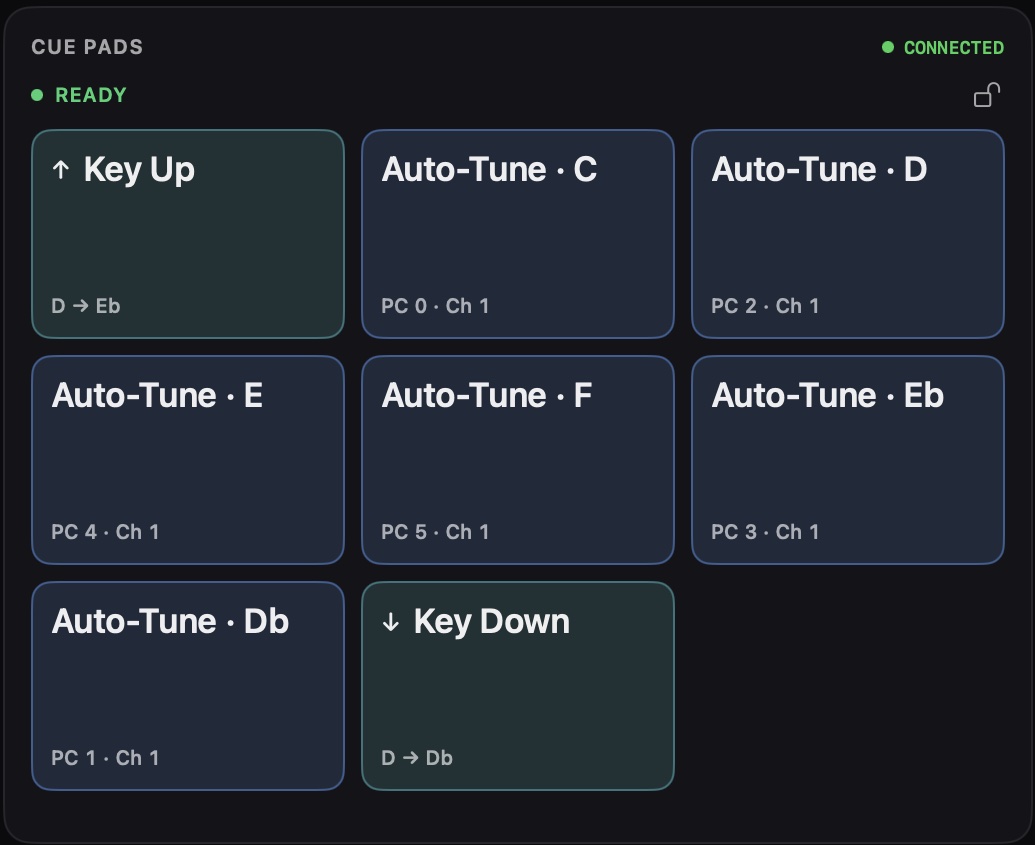
Automations module showing the current song Holy Forever, the cue Auto-Tune D that fired, and Key Up and Key Down buttons. Cue Pads module with Key Up, Key Down and auto-tune cues for each key.

Triggers include a plan item starting, timing starting or finishing, a pad press or an incoming MIDI message. A MIDI Monitor and an Activity log show everything that was sent or skipped. The master switch is off until you turn it on.

Status you can trust in the middle of a service.

Every module tells you exactly where its data comes from. Stale data says Stale. A lost connection says Disconnected. And every integration has a simulated mode, so your team can learn the whole app before connecting a single device.

Integration HealthCONNECTED
  • ProPresenterCONNECTED
  • Planning CenterCONNECTED
  • ShureCONNECTING
  • SmaartSTALE
  • ResiUNAUTHORIZED
  • YouTube LiveSIMULATED
  • SpotifyDISCONNECTED

Beyond the booth.

Put the right view in front of the right people, without another Mac.

Display Outputs

Green room, lobby, video system.

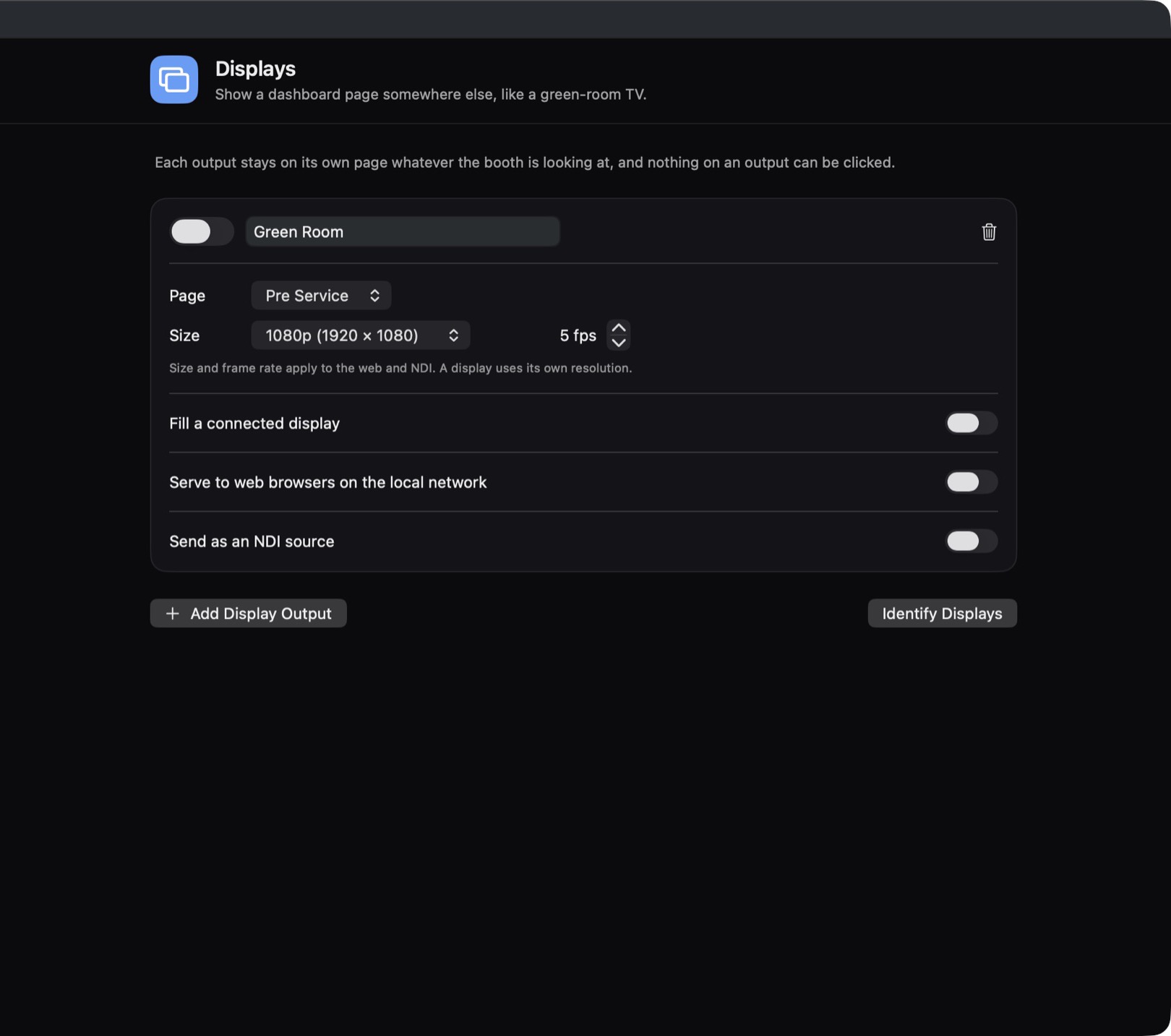
Send any view to a connected display, to browsers on your church network (with a QR code to open it), or out as an NDI source. Outputs are display-only, with no buttons to bump.

Display Outputs settings for a Green Room output: page, size, frame rate, and switches for a connected display, web browsers and NDI.

Service Reports

Know how Sunday landed.

When a service finishes, a designed report goes out through your own mail server: plan versus actual for every item, loudness, and a CSV attached.

+2:55 over plan

Web Remote

Status on any phone or tablet.

A read-only status page for devices on your local network. Off until you turn it on.

One plan. Every Mac in your building.

Every module, every integration and every update, on as many devices as your team needs. Pay monthly, or yearly and save.

Pricing questions →
Production Deck UNLIMITED DEVICES
$45 per month

Billed monthly. Or switch to yearly and save $41.

  • Unlimited devices: every Mac in your building
  • Every module and integration
  • Automations, cue pads and timecode
  • Display outputs, web remote and service reports
  • Every update while you're subscribed
Get Production Deck

macOS 12 Monterey or later · Apple Silicon and Intel

Production Deck app icon

Calmer Sundays start here.

Explore everything in simulated mode, then connect your gear one integration at a time.

Get Production Deck